How to download and install PC games
In this guide, you’ll learn how to download and install PC games properly using torrent clients and safe methods.
1st step
Before downloading any game from this website, you will need a torrent application. I recommend uTorrent Classic, which you can download using the link below:
Alternatively, you can choose a different torrent application if you prefer.
2nd step
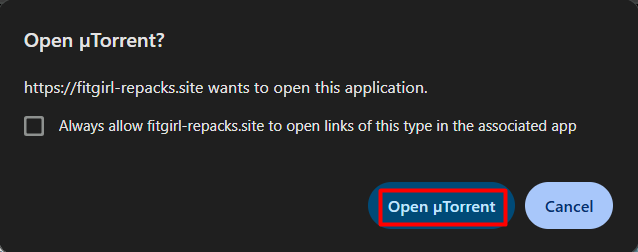
Visit any game page or the page of the game you want to download. Scroll down until you see the Download Game Now button. Click on it, and your browser will prompt you with Open uTorrent? Simply click Open uTorrent to proceed:
3rd step
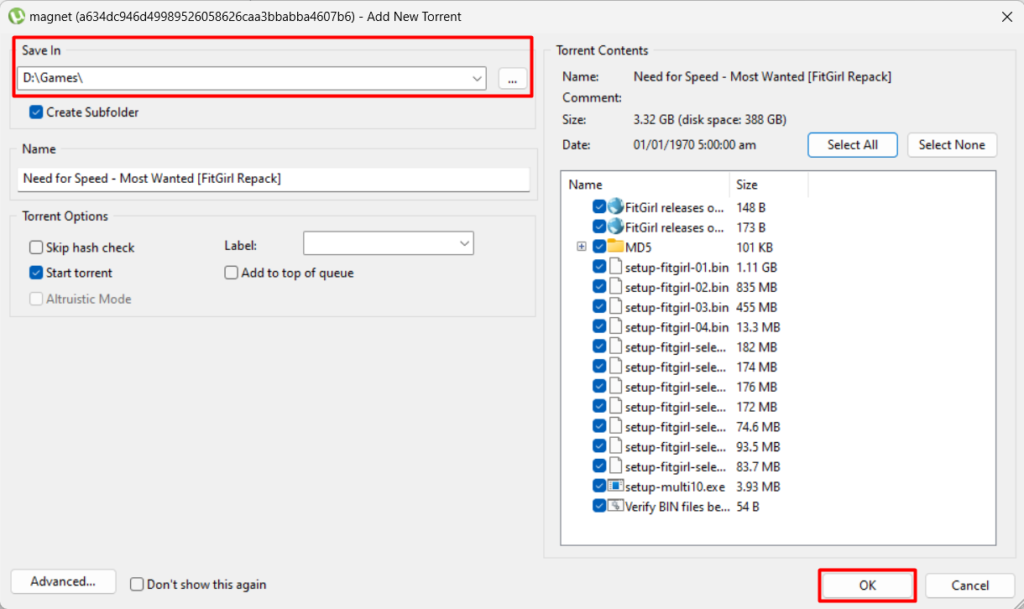
After clicking Open uTorrent, your torrent application will open.
Choose the location where you want to download the game setup, then click OK:
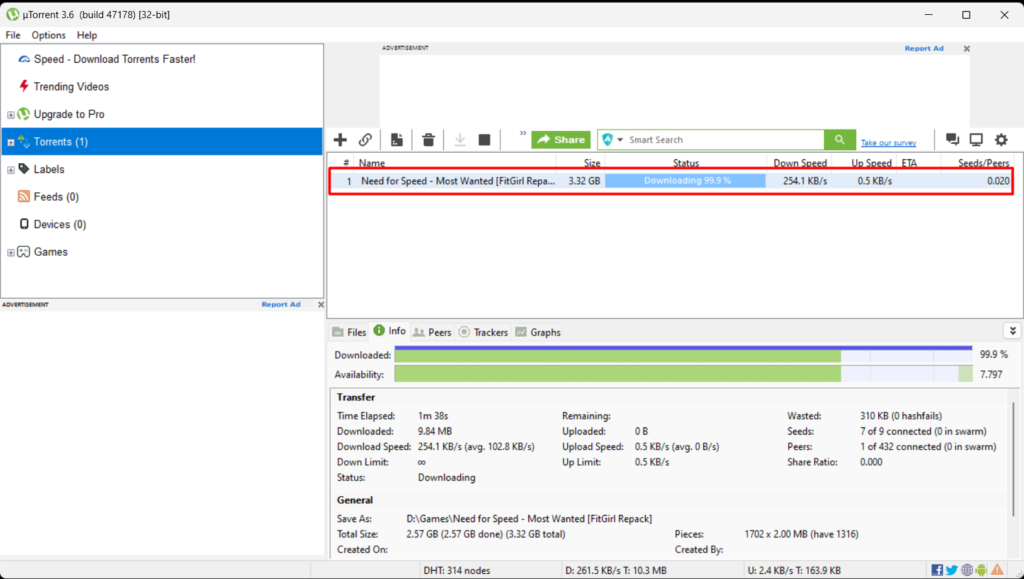
The game will start downloading like this:
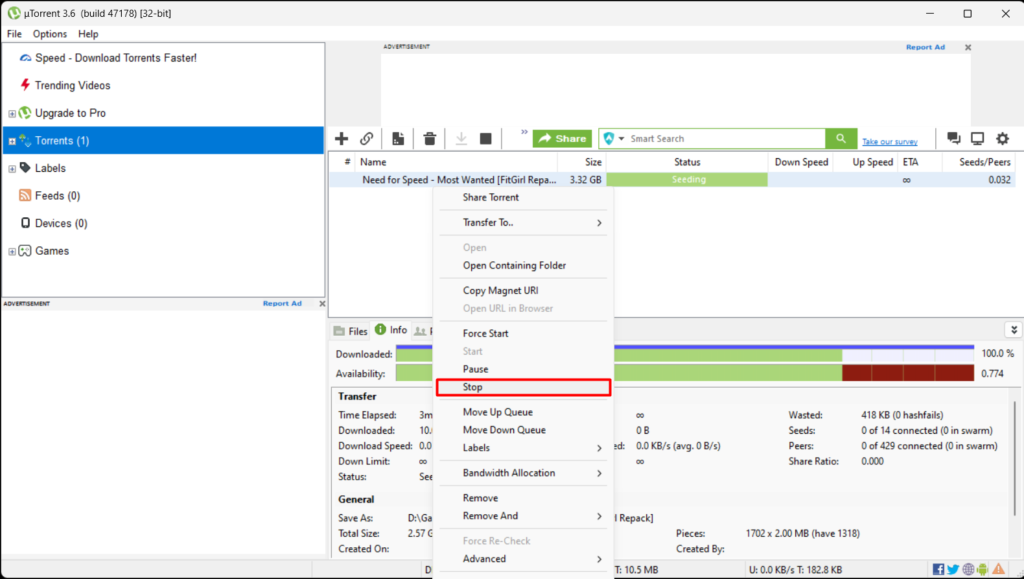
After the game is downloaded, it will show Seeding
Do this: Right-click on the torrent and click Stop:
4th step
Now, go to the folder where you downloaded the game setup. Run the setup as an administrator and follow the instructions to install the game. After installation, run the game as an administrator and enjoy playing.